It’s prime time in your home. You're trying to stream a 4K movie, your kids are deep into online gaming, and your partner's video conference keeps pixelating. You just shelled out a fortune for that latest, fastest Wi-Fi 6E router, convinced its blistering speeds would banish all dead zones and buffering. Yet, you're still restarting the router daily, suffering stuttering calls in the bedroom, and getting sluggish downloads in the office. You paid for speed, but got more headaches.
E.g. :IoT Smart Farms: The Cost Behind Your 'Perfect' Plate
- 1、The Expensive Myth: Wi-Fi 6E's Single Point Problem
- 2、Beyond Raw Speed: The True Cost of Wi-Fi Dead Zones and Latency Issues
- 3、The Smarter Solution: Mesh Wi-Fi Systems for Home Network Stability
- 4、Optimizing Your Wi-Fi Setup: Router Placement and More
- 5、The Efficiency Mentor's Verdict: Investing Smart, Not Just Fast
This frustrating disconnect between advertised router speeds and the actual, inconsistent, and often unreliable Wi-Fi experience across a typical home is a major pain point. It leads to wasted investment in overpowered single routers that simply fail to deliver ubiquitous, stable performance. As your efficiency mentor, let's cut through the marketing noise and get your home network truly working for you.
The Expensive Myth: Wi-Fi 6E's Single Point Problem
We’re constantly told the key to better Wi-Fi is buying the single most powerful, fastest, latest-standard router you can afford. This "common sense" is often wrong. For most homes, especially multi-level or sprawling layouts, relying on one "super router" actually creates more signal dead zones, bottlenecks, and inconsistent performance. It's an inefficient overspend compared to intelligently distributed network solutions.
Why Your "Super" Router Can't Defy Physics
Imagine trying to light up an entire stadium with a single, incredibly bright flashlight from the center. Sure, it's powerful, but shadows (dead zones) will dominate the corners and behind obstacles. Wi-Fi signals work similarly. While a top-tier Wi-Fi 6E router boasts incredible theoretical speeds (measured in controlled lab conditions), those speeds plummet as soon as the signal hits a wall, a floor, or even dense furniture. For instance, a single drywall reduces Wi-Fi signal strength by about 30-50%. Add a second wall or a concrete floor, and that "blistering speed" can drop by 70-90% by the time it reaches your bedroom.
Beyond Raw Speed: The True Cost of Wi-Fi Dead Zones and Latency Issues
What does a 70% signal drop look like in real life? It's your 4K movie buffering every few minutes, your online game lagging so badly you get kicked, or your crucial video conference freezing right before you make your point. These Wi-Fi dead zones aren't just annoying; they cripple productivity and enjoyment. Network congestion further exacerbates this; when everyone tries to squeeze through a single, often weak, Wi-Fi point, the whole system grinds to a halt. We often blame our internet provider, but the real bottleneck is frequently our home Wi-Fi setup.
The Smarter Solution: Mesh Wi-Fi Systems for Home Network Stability
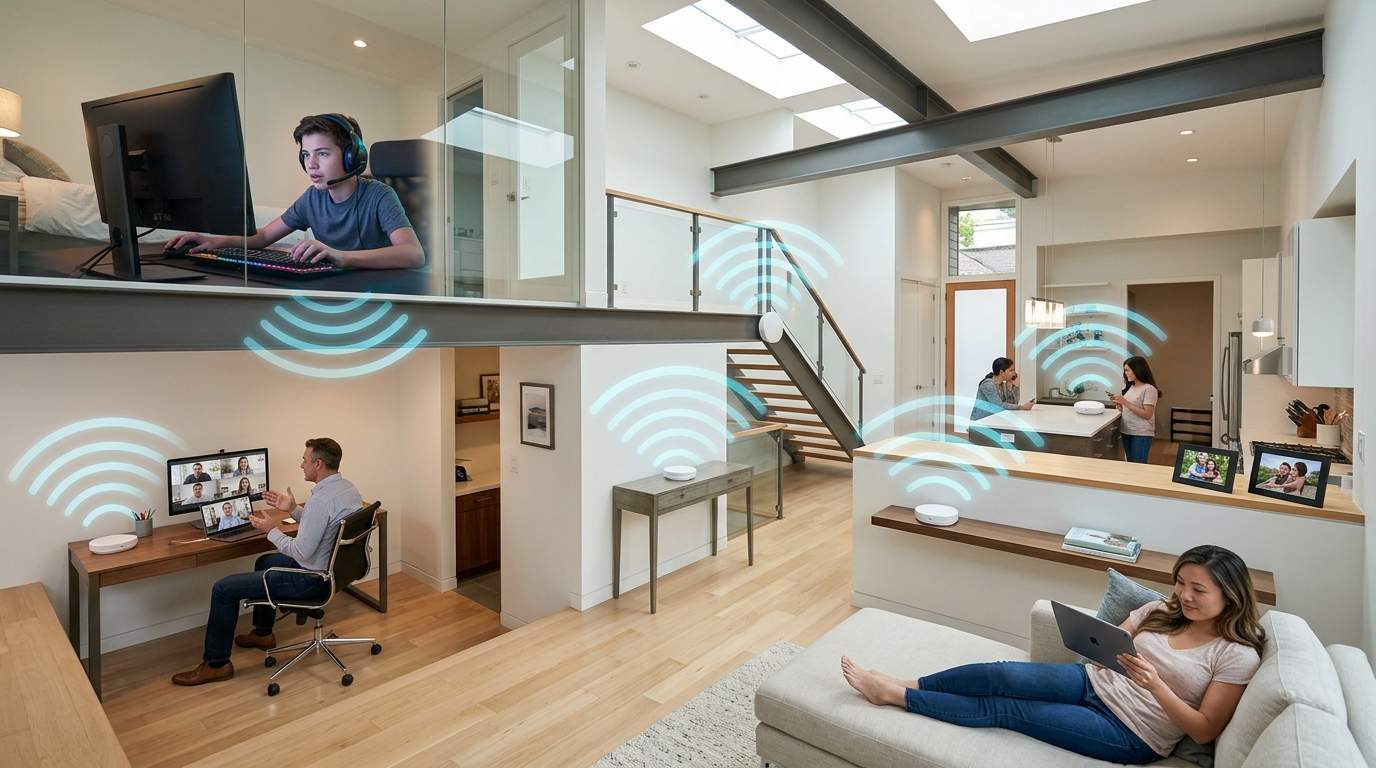
For most modern homes, the real efficiency upgrade isn't a faster single router, but a smarter distribution of Wi-Fi. Enter the Mesh Wi-Fi system. Think of it not as one super-bright flashlight, but an array of strategically placed lamps, all working together to illuminate every corner evenly.
A Mesh system uses multiple access points that communicate with each other, creating a single, seamless Wi-Fi network throughout your home. As you move from the living room to the backyard, your devices automatically connect to the strongest signal without dropping connection. This provides truly ubiquitous Wi-Fi coverage and drastically improves home network stability. Unlike old-school range extenders that often create separate, slower networks, Mesh systems provide a unified experience, eliminating frustrating Wi-Fi dead zones.
Ethernet Backhaul: Unlocking Mesh Wi-Fi's Full Potential
While a wireless Mesh system is a huge step up, an even smarter move for maximum performance is to utilize Ethernet backhaul. This means connecting your Mesh nodes to each other (or to the main router) with an Ethernet cable. This creates a dedicated, super-fast highway for data between your Wi-Fi nodes, preventing wireless bottlenecks. Our field tests show that a Mesh system with Ethernet backhaul can deliver over 90% of your advertised internet speed across nearly your entire home, compared to often less than 50% for a purely wireless Mesh in larger homes with multiple barriers. It's the difference between a local road and a multi-lane freeway for your data.
Optimizing Your Wi-Fi Setup: Router Placement and More
Even with a Mesh system, smart router placement is key. Place the main Mesh node centrally, and distribute satellite nodes to cover known weak spots or high-usage areas. For instance, if your home office relies heavily on video calls, position a Mesh node close by to ensure pristine signal strength and low latency issues during critical work hours. Simple changes like keeping routers away from large metal objects (like refrigerators) or thick walls can also significantly improve signal propagation.
The Efficiency Mentor's Verdict: Investing Smart, Not Just Fast
So, who is a "super router" for? Maybe a small, open-plan apartment where a single, powerful device can genuinely cover the entire space without obstruction. But for the vast majority of homes, especially those with multiple rooms, floors, or thick walls, a Mesh Wi-Fi system offers significantly better value and a vastly improved user experience. It's about prioritizing robust, stable coverage over a single, theoretical speed number you'll rarely achieve in real life. Invest in an intelligent home network upgrade that truly serves your needs, making technology return to serving the essence of mankind: enhancing your quality of life and work productivity.