It’s 5 PM, the kids are gaming online, you're on a critical video call for work, and your smart home devices are acting dumb. You pay for "gigabit" internet, but your Wi-Fi keeps freezing, dropping, or just plain dying the moment you step out of the living room, turning your expensive tech into frustrating ornaments. This gut-wrenching frustration is a daily reality for millions, pouring premium money into blazing fast internet, only to hit a digital brick wall within their own homes. The common "solution" is to upgrade your internet plan for more Mbps or buy a single 'powerful' new router. But let's cut through the noise: simply adding more raw speed from your ISP won't fix your in-home Wi-Fi performance woes. Your real enemy isn't always your ISP's speed, but often your internal network's design and physical environment, rendering those extra Mbps useless. You're paying for a superhighway, but only driving on a dirt road inside your house.
E.g. :Why Your Fancy Wi-Fi 6E Router Creates More Wi-Fi Dead Zones
- 1、The Gigabit Myth: It's Not Your ISP's Fault, It's Your Wi-Fi Home Network Optimization
- 2、Decoding Your Wi-Fi Dead Zones: Architecture, Materials, and Signal Interference
- 3、The Single Router's Fatal Flaw: One Size Doesn't Fit All Wi-Fi Coverage
- 4、The Real Wi-Fi Fix: Smart Mesh Networks and Strategic Home Network Optimization
- 5、Beyond Hardware: Simple Hacks for Boosting Your Wi-Fi Performance and Latency
The Gigabit Myth: It's Not Your ISP's Fault, It's Your Wi-Fi Home Network Optimization
Your Internet Service Provider (ISP) delivers "gigabit" speeds to the wall jack in your home. Think of it as a firehose of data hitting your front door. The problem isn't often the firehose itself, but rather the leaky, kinked garden hose you're trying to water your entire garden with once it gets inside. While your ISP ensures the bandwidth to your modem, it's your Wi-Fi router's job, and often a monumental struggle, to distribute that speed reliably throughout your entire living space. In fact, many people mistakenly upgrade their 200 Mbps plan to 1 Gbps, only to see no tangible improvement in their actual Wi-Fi experience because the bottleneck isn't the source, it's the distribution.
Decoding Your Wi-Fi Dead Zones: Architecture, Materials, and Signal Interference
Why does your signal suddenly vanish in the bathroom or the upstairs bedroom? It's often a silent battle against your own home.
The Invisible Walls: Building Materials Killing Your Signal
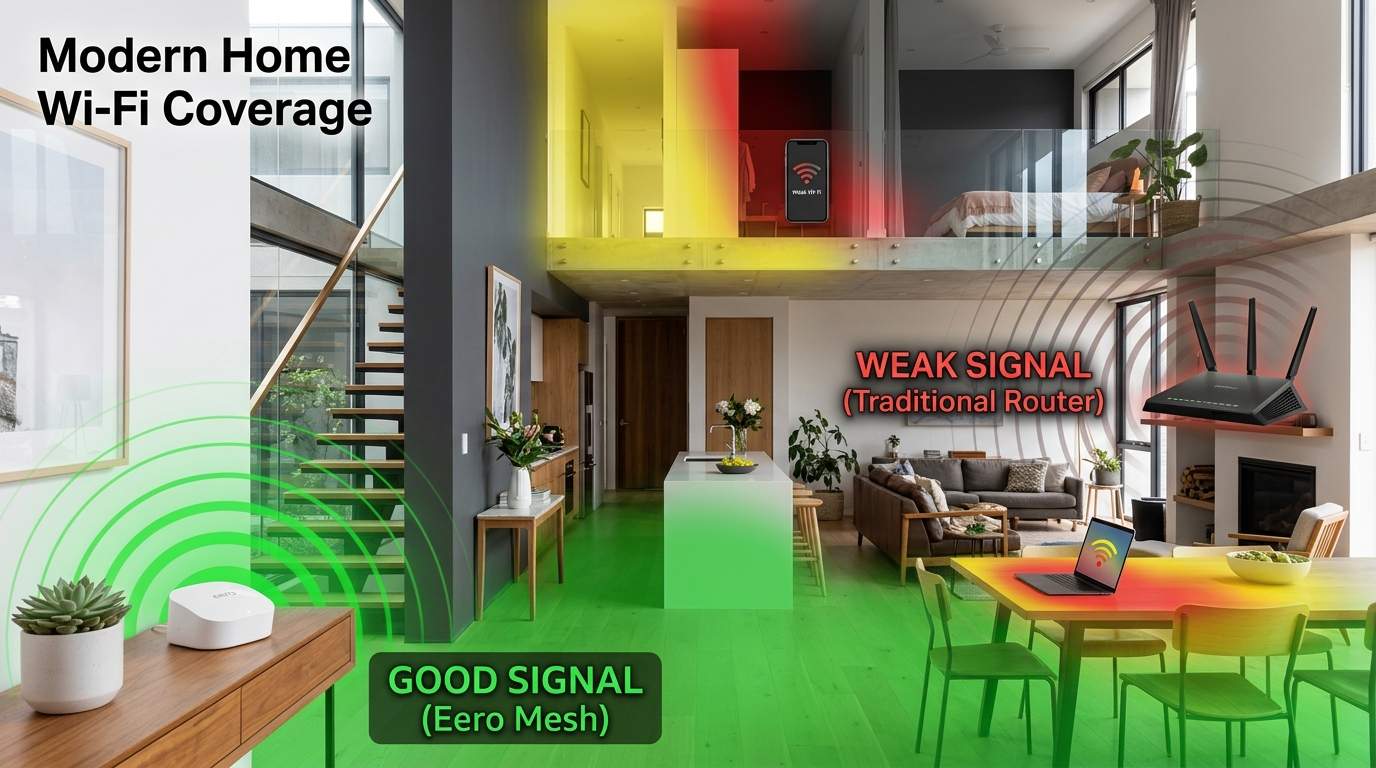
Wi-Fi signals are radio waves, and like any wave, they struggle with obstacles. Concrete walls, thick plaster, brick, and even large mirrors act as signal attenuators or reflectors, effectively absorbing or bouncing your precious Wi-Fi energy into oblivion. Consider a historic brownstone with thick masonry walls versus a modern open-plan apartment; the same router will perform drastically differently. A single concrete floor can reduce a strong signal by 30-50%, making that upstairs office a prime Wi-Fi dead zone.
Electromagnetic Noise: Unseen Battles for Your Bandwidth
Your home is an electromagnetic battlefield. Microwaves, cordless phones, smart devices, Bluetooth speakers, and even your neighbor's Wi-Fi network all operate on similar radio frequencies, creating "noise" that interferes with your router's signal. Ever notice your Wi-Fi drops when you're heating leftovers? It's not a coincidence; your microwave is likely blasting interference at 2.4 GHz, the same band many routers use.
The Single Router's Fatal Flaw: One Size Doesn't Fit All Wi-Fi Coverage
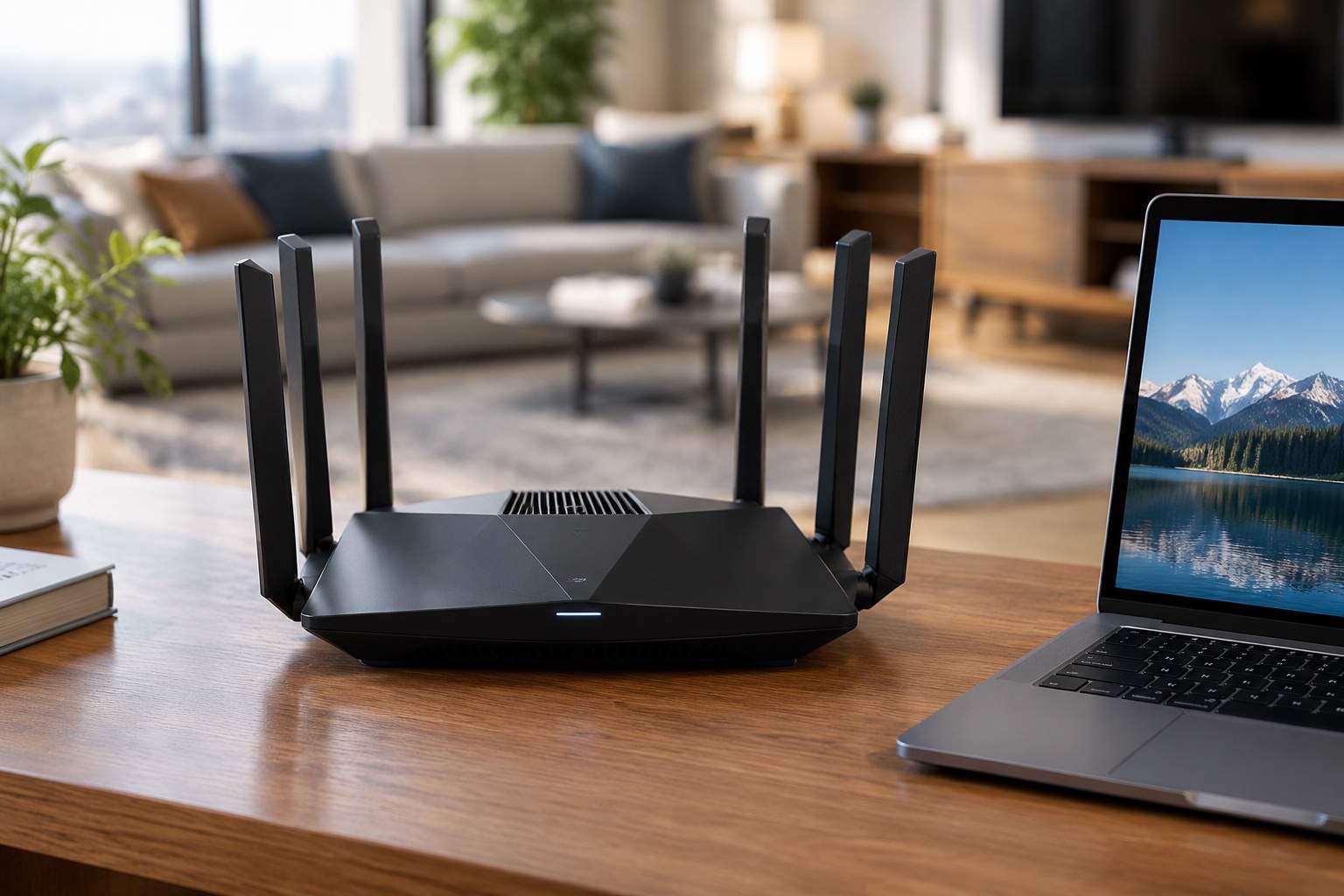
Buying a "gaming" router with six monstrous antennas might look impressive, but it doesn't magically defy the laws of physics. A single router, no matter how powerful, has a finite range and a limited ability to penetrate obstacles. Its strength is in a concentrated area, ideal for smaller homes or open-concept spaces. For instance, in a typical 2,000 sq ft home with multiple rooms and floors, relying on one router means half your devices are struggling on fumes.
A single, powerful router offers a straightforward setup and lower initial cost, making it perfect for small apartments (under 1000 sq ft) or single-story homes with minimal obstructions. However, for anything larger or multi-story, its limitations become glaringly obvious, leading to frustrating Wi-Fi dead zones and inconsistent speeds, especially for latency-sensitive applications like video conferencing or online gaming.
The Real Wi-Fi Fix: Smart Mesh Networks and Strategic Home Network Optimization
So, if throwing more money at your ISP or a single router isn't the answer, what is? The solution lies in how you distribute that gigabit connection inside your home.
Mesh Wi-Fi Systems: Blanket Coverage, Seamless Roaming
Imagine multiple smaller routers working together as one intelligent system, each acting as a signal booster and extender, creating a seamless, unified network across your entire home. That's a Mesh Wi-Fi system. Instead of one bottleneck, you have multiple access points strategically placed to eliminate dead zones. For a 3,000 sq ft, two-story house, a three-node mesh system can deliver a consistent 300-500 Mbps to almost every corner, compared to a single router struggling to hit 50 Mbps in distant rooms.
Mesh systems offer unparalleled coverage and simple scalability, perfect for medium to large homes, multi-story residences, and smart homes brimming with connected devices. The setup is typically user-friendly via an app, and devices seamlessly roam between nodes. The primary downside is the higher initial investment compared to a single router, and each node requires a power outlet.
The Unsung Hero: Ethernet Backhaul for Ultimate Wi-Fi Stability
While mesh systems are fantastic wirelessly, connecting the mesh nodes to each other with Ethernet cables – a process called "Ethernet backhaul" – unleashes their full potential. This dedicates the wireless spectrum purely to your devices, rather than having the mesh nodes use it to talk to each other. For example, a mesh system with wireless backhaul might see speeds drop by 50% or more between nodes, but with a wired backhaul, you can maintain near-gigabit speeds across the entire network, crucial for competitive online gaming or transferring large work files. If you have the option to run Ethernet, especially for your main mesh nodes, do it.
Beyond Hardware: Simple Hacks for Boosting Your Wi-Fi Performance and Latency
Even the best hardware needs a little help.
- Optimal Placement: Place your primary router or mesh node centrally and elevated, away from large metal objects or appliances. The middle of your home, not tucked in a corner closet, is key.
- Channel Optimization: Use a Wi-Fi analyzer app to identify congested Wi-Fi channels in your area (especially in apartment buildings) and manually switch your router to a less crowded one.
- Firmware Updates: Regularly update your router's firmware. These updates often include performance improvements, security patches, and bug fixes that can noticeably improve stability and speed.
- Device Management: Disconnect old, unused devices from your network. Every connected device consumes a small slice of your router's processing power.
Stop battling your internet and start optimizing your home network. By understanding that your Wi-Fi is an internal challenge, not just an ISP issue, you can make informed decisions that transform your digital life from frustration to seamless productivity and enjoyment.